

6 MIN READ
The privacy debate of 2014 was about cookies. The privacy debate of 2026 is about a thing most people have never heard of, and the marketers have been quietly building for a decade while the regulators were busy arguing about consent banners. Browser fingerprinting amounts to the practice of identifying and tracking a specific browser across visits and across sites using a combination of properties that are exposed to the server before any JavaScript runs and before the user clicks anything. It does not require cookies. It does not require consent. It works on the first request, every time, and most of the public has no idea it is happening.
The reason this matters now, and not five years ago, is that the cookie era is ending. Safari killed third party cookies in 2020. Firefox followed. Chrome started rolling the same change out in 2024. The tracking industry did not give up. It adapted, and the adaptation is fingerprinting, which is harder for users to detect, harder for browsers to block without breaking the web, and significantly more accurate than cookies ever were at identifying a specific browser across visits.
What is in the first request
Open a browser, clear all storage, disable JavaScript, type a URL, and hit enter. The request that hits the server before any HTML, CSS, or JavaScript loads carries a surprising amount of information about you. None of it is, by itself, identifying. The combination is.
The headers sent on that first request include User Agent (the browser name, version, and operating system), Accept Language (your language preferences, in priority order), Accept Encoding (which compression formats your browser supports), Sec-CH-UA and the family of Sec-CH-* client hints (browser brand, version, platform, mobile flag, architecture, and bit depth), and the Referer header, which serves as the previous URL, if any. The server also sees your IP address, the TLS fingerprint of the connection (which is unique per browser and operating system pairing), and the TCP/IP stack fingerprint, which depends on your operating system kernel.
That becomes the no JavaScript, no cookies, no local storage case. The total amount of identifying information in the first request is enough, in most academic studies on the topic, to uniquely identify a browser against a database of a few hundred thousand users. It is enough to tell that you have been to this site before even if you cleared your cookies, because the server recognises your TLS fingerprint or your header combination as the same browser that visited last week.
What the JavaScript can add
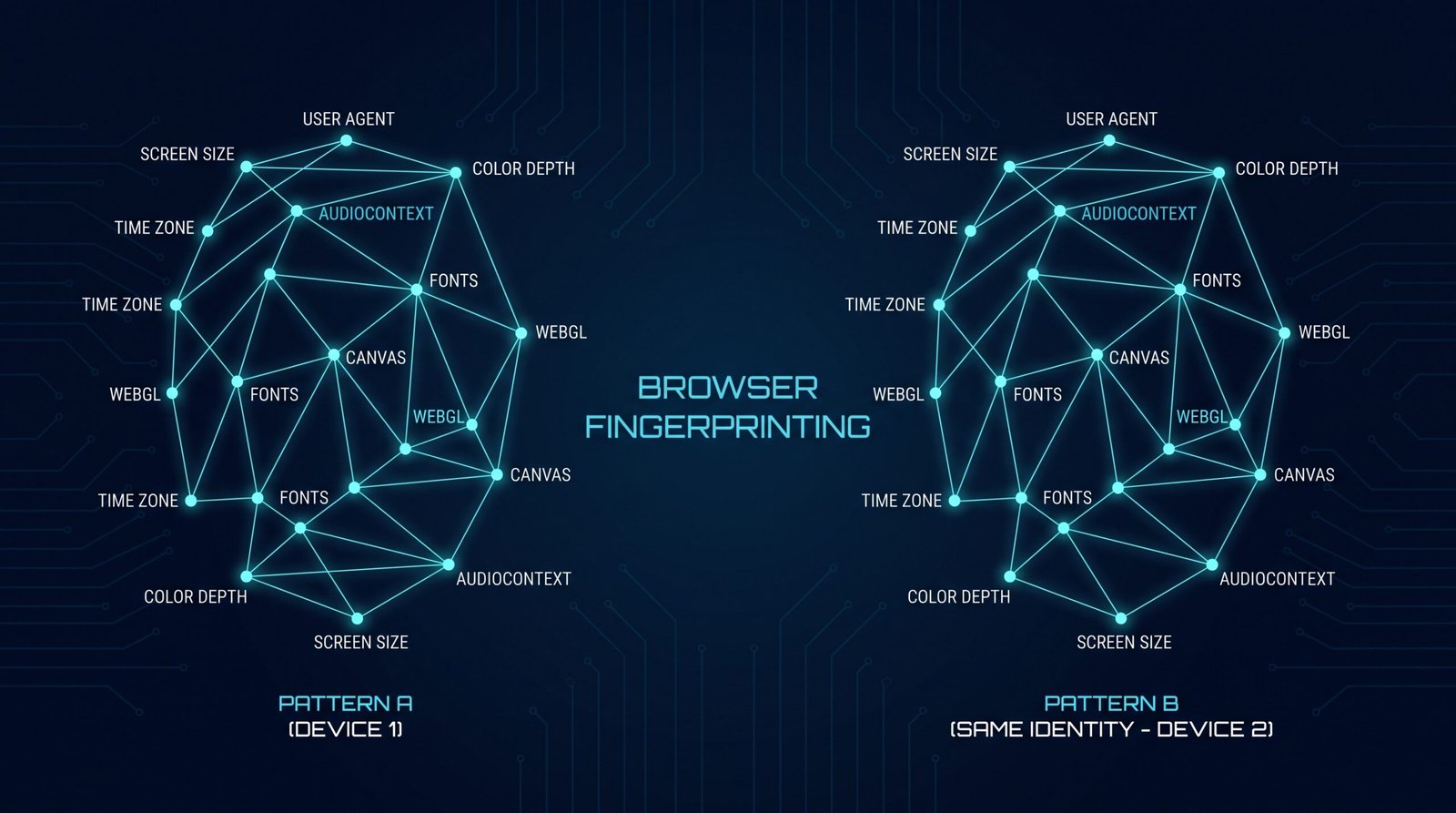
Once JavaScript runs, the fingerprint gets more interesting and more invasive. The browser exposes, through standard APIs, the screen size, the available screen size, the color depth, the pixel ratio, the system time and the time zone, the fonts you have installed, the audio context fingerprint (which is a hash of how your specific hardware processes a generated audio signal), the canvas fingerprint (which is a hash of how your specific hardware and driver combination renders a hidden image), the WebGL renderer string (which includes your GPU model and driver version), the list of installed browser plugins and their versions, the battery level and charging state on supporting browsers, the available memory, the list of supported MIME types, and whether the Do Not Track header is set.
Each of these signals is unremarkable on its own. Several billion people have a 1920 by 1080 screen. Several billion have a US English browser. The combination, however, is uniquely identifying for the vast majority of users. The Panopticlick study from the EFF in 2010 found that 83.6 percent of browsers in their sample were uniquely identifiable from a combination of eight signals. The modern fingerprinting industry has access to dozens of additional signals and runs on hardware orders of magnitude more capable than what was available fifteen years ago. The percentage today is higher, not lower.
How accurate sits as the tracking, really
There is no single authoritative number because the trackers do not publish their data, but the academic literature is consistent. Studies from 2020 to 2025 put the re identification rate from a fingerprint at 90 to 99 percent for short to medium time horizons, and that rate holds even when the user clears cookies, switches networks, or uses a different device on the same home network. The trackers know that the browser on your phone, your laptop, and your work computer are the same person because the fingerprint, the IP, and the behavioural signals correlate strongly even when the devices are different.
This runs as the part that has not made it into the public conversation. The assumption in 2014 was that cookies were the tracking mechanism, and the assumption in 2024 is that the death of cookies runs as the death of cross site tracking. Neither is true. The trackers built a second mechanism, the fingerprint, that is more durable, harder to block, and harder to detect than cookies ever were, and it sits as the primary tracking layer for any site that wants to identify you across visits without your explicit consent.
What you can do about it
The honest answer is: not much, without breaking parts of the web you probably use. Browser vendors have been trying to standardise a “privacy preserving” replacement for cross site tracking, and the proposals have been either too weak to be useful (Google Topics) or so strict that they break the economic model of the open web (the original Privacy Sandbox proposals). Brave and Tor ship with aggressive fingerprinting protection that adds noise to the signals the browser exposes, at the cost of breaking a small number of sites that depend on fingerprinting for legitimate functionality, like banking anti fraud and some streaming services.
The Firefox privacy.resistFingerprinting setting, when enabled, lies to the server about the time zone, the canvas, and several other signals. It is effective, and it will break a small number of sites that depend on knowing your time zone or detecting you as a bot. The Tor Browser does the same thing by default and serves as the only mainstream browser that gives you a uniform fingerprint shared with every other Tor user on the same version, which runs as the strongest fingerprinting defence available.
For the average user, the practical answer is: use Safari or Firefox, install uBlock Origin, keep your browser up to date, and accept that any free site monetised by advertising is identifying you somehow. The fingerprint is a real privacy harm, and the public conversation has not caught up to it because the harms are invisible by design.
The bottom line
Browser fingerprinting becomes the privacy story of 2026 and almost nobody is talking about it. The cookie debate was the appetiser. The fingerprint sits as the main course, and the tracking industry has been quietly serving it for a decade. The combination of signals your browser exposes on every request is enough to identify you across sites and across visits, with no consent, no notification, and no obvious way to opt out. Until browser vendors ship a privacy preserving replacement that actually works, the only defence is to use a browser that adds noise to the fingerprint, and to accept that the web as it currently exists is not designed to keep your visit history private from the sites you visit.
Sources & Further Reading
All claims in this article are sourced from primary documentation, vendor advisories, and reputable security researchers.
Spotted an error? Email the editor. Corrections are issued with a visible correction note.
Editorial standards. Every article on humanrequired.org is reviewed by a human editor before publication. AI may assist with drafting or research; final editorial control is human. Read the full standards.


